
Battery for laptop asus eeebook

Search for your product by series
Search for your product by reference
Choose a new Asus Eebook computer battery+
Replacement batteries designed for Asus EeeBook
However, the device becomes defective over the time.
What should we do then?
First and foremost, buying a new PC is not necessarily the most effective solution. Why? In most cases, you simply need to replace the battery and your laptop will be running smoothly again . So, we recommend that you buy an Asus EeeBook battery. We offer a wide range of choices of replacement batteries that are fully compatible with your Asus EeeBook laptop. Feel free to contact us to find the one that fits best your device.
An Asus EeeBook: ready to be used under any circumstances
The Asus EeeBook can be conveniently used anywhere. The portability of this laptop really sets it apart from many of its competitors. You probably use it anytime anywhere, and the best solution to preserve the best it can offer is to keep a spare battery. Therefore, it is clear that buying a new PC is not always the right approach. The most effective solution is to get an Asus EeeBook battery from our store.
There are 2 main kinds of Asus laptop batteries.
- Lithium-ion batteries: also known as “Li-ion batteries”. They are made of lithium metal or lithium alloy. Li-ion batteries can deliver higher voltage, and have a long life cycle.
- Lithium polymer batteries: also known as “Li-po batteries”. They are currently the most widely used on the market. These batteries are lightweight and are more reliable than lithium-ion batteries in terms of overcharging risk and electrolyte leakage.
Lithium-ion batteries are less expensive than lithium polymer batteries. Another advantage of Lithium-ion batteries is that they do not require priming the first time they are used. However, they suffer from degradation when left unused.
Removing a laptop battery
Removing the battery should be carried out delicately. If your Asus laptop PC has a removable battery, you must first turn off the computer and unplug it from all power sources. Then flip your computer over and pull the battery latches to detach the battery.
For a laptop without a removable battery, you must first turn off your Asus computer. Then use an appropriate screwdriver to remove all the screws. Carefully remove the cable along your screen then remove the battery.
Battery laptop asus eeebook most popular
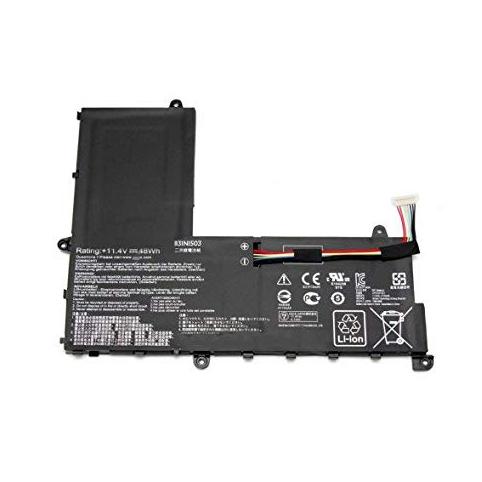
Looking for the best battery to replace your laptop battery?
How much does a battery for a asus eeebook laptop cost? The price ranges from €60.9 to €84.9 for the most powerful models.

 Your basket