
Adapter laptop compaq omnibook

Search for your product by series
Search for your product by reference
Looking for a new charger for your Omnibook COMPAQ laptop charger+
Recharge your Omnibook with peace of mind...
So that you can truly benefit from the three (Li-ion battery) or two hours of battery life displayed for this product, consider purchasing a dedicated charger. Our shop offers several variations. If your PC is KB coded, you will have to choose between Omnibook chargers with 100–240 V AC (50/60 Hz) input, 19 V DC, 75 W output and 19 V DC, 75 W output. For technology code KC, we offer various researchers with 100–240 V AC (50/60 Hz) input and 19 V DC, 60 W (3.16 A) output.
Even on the road
Sometimes the trip from the office to your home can take two or three hours. Meanwhile, you might need your HP laptop charger. But the latter's battery may only last an hour and a half at most. Why not consider buying an Omnibook cigarette lighter laptop charger? This will allow you to charge your machine in your own car and use your PC peacefully in traffic, for example. It is also the best choice for the camping enthusiasts who cannot do without their laptops.
Is your laptop plugged in but not charging?
Steps to resolve the problem
Laptop that won't charge
Your work can be disrupted if your laptop is plugged in but not charging. Obviously, you can't use your computer when the battery is dead. But in many cases, you can figure out where the charging problem is in order to fix it. We are going to show you what to do when your HP laptop’s battery isn't charging while plugged in. Whether you have a Dell, Lenovo, HP or other computer, these tips will be useful for you.
Check the physical cable connections
Before moving on to a more in-depth troubleshooting, check the basics first. Make sure you have firmly inserted the laptop charging cable into the laptop charging port. Then check its connection to the wall - consider trying a different outlet in case your current outlet doesn't work. Don't forget also to look at the connection where you plug the cable into the AC adaptor brick. It could have come loose if someone had tripped over it.
Laptop power adaptor is properly connected
Keep in mind that we are trying to fix your laptop that won't charge even though it's plugged in. If that's not your problem, we have also looked at how to fix incorrect battery percentage in Windows 10.
Remove the battery and connect to the power source
Then you need to determine whether the battery is working or not. If your HP laptop has a removable battery, remove it completely from your computer. You should always shut down your computer before doing so (if it is not already dead) and unplug the charger. After removing the battery, press and hold the power button for several moments to remove any remaining charge in the system. Once done, plug in the charger and try to turn on the laptop.
Adapter laptop compaq omnibook most popular
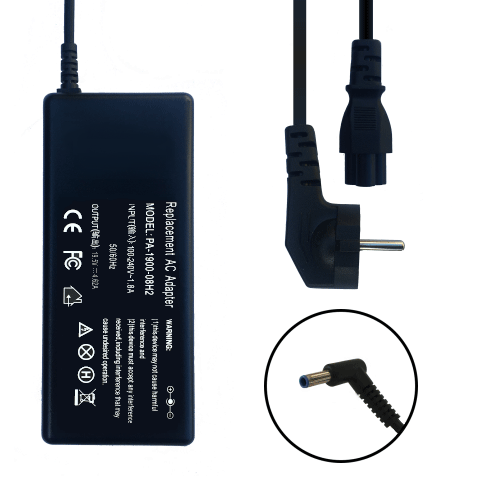
Looking for the best charger to replace your laptop charger?
How much does a power adapter for a compaq omnibook laptop cost? The price ranges from €25.9 to €30.9 for the most powerful machines.

 Your basket