
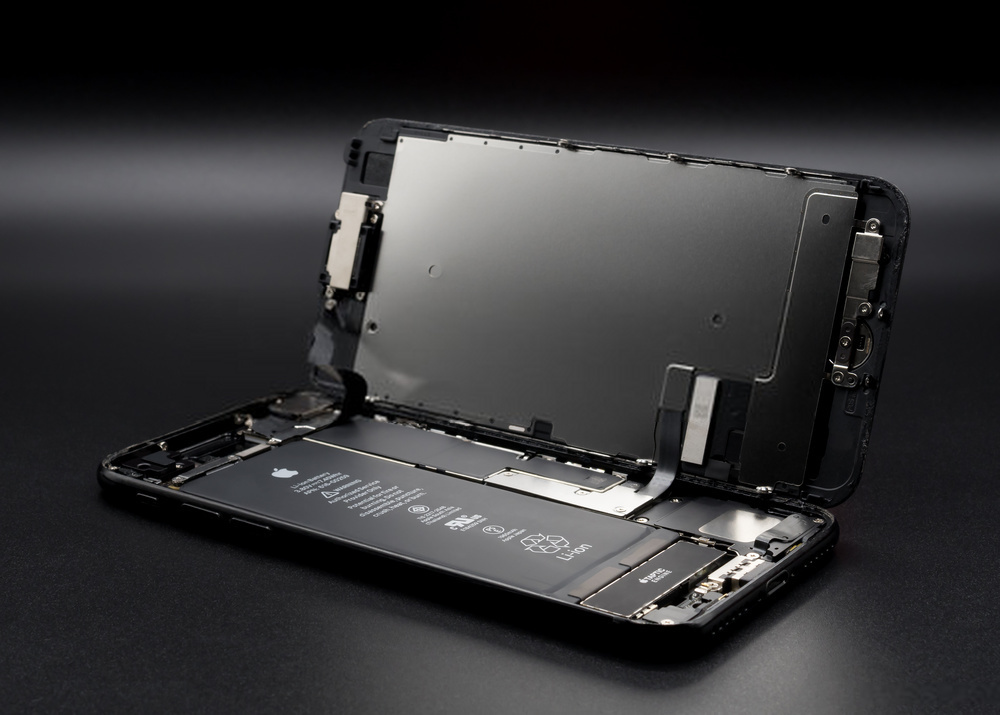
Vous êtes l’heureux propriétaire d’un iPhone 7 depuis quelques années. En effet, celui-ci fonctionne encore parfaitement, tout aussi bien que le jour de son achat. Mais depuis quelques temps, vous avez l’impression que la batterie de votre iPhone 7 montre des signes de faiblesse. Découvrez dans ce guide, nos conseils pour changer la batterie de son iPhone 7 en toute sécurité !
Is it time to replace your iPhone 7 battery?
You’ve been taking care of your Apple smartphone for years, but its battery is starting to fail? Don’t panic: this is normal. The battery is one of the most fragile components in smartphones. Over time it will naturally wear out and, unfortunately, there’s nothing you can do to reverse this process. Here are a few signs that should alert you:
- You need to charge your iPhone 7 several times a day
- Your smartphone switches itself off, even when it supposedly still has 15% battery left
- You can only use your mobile when it’s plugged into its charging cable
- When it’s plugged into the mains, your iPhone 7 no longer manages to charge
If your iPhone was fairly new, it might be worth having the battery repaired, as natural wear and tear would not necessarily be the cause. However, after several years of use, it’s better to replace the failing battery with a new one: you’ll be able to use your iPhone 7 again as if it were brand new!
A few precautions when buying your new Apple smartphone battery
Be careful when buying a new battery for your Apple smartphone: there are lots of counterfeits on the market. Their price is very low, but it’s best to avoid them. Counterfeit iPhone batteries can seriously damage your phone. It would be a shame to have to buy a new smartphone because of a non‑original battery. So be very careful when you buy a new battery for your iPhone 7, especially online.
You can, for example, have complete confidence in the models sold on the www.batterylaptop.co.uk online shop: we only sell original batteries. They are both high‑performance and offered at extremely competitive prices.
Changing the battery in your iPhone 7 in a few steps
Have you just bought a new battery for your iPhone 7? Here is the procedure to follow to install it safely:
-
- First of all, switch off your smartphone. To do this, simply press and hold the Power button on your iPhone 7 for a few seconds, then slide the “Power off” bar to the right.
- Next, we recommend removing your SIM card: this is a simple precaution to prevent it from being damaged accidentally.
- Unscrew the 2 screws located around the charging connector. To do this, we recommend using a pentalobe screwdriver. This step is necessary to remove the back glass of your iPhone 7.
- Carefully slide the back glass of your Apple smartphone upwards by about 3 mm. At this point you will be able to lift the glass without any problem. Tip: put the glass somewhere safe while you are replacing your iPhone battery.
- Now use a Phillips screwdriver to remove the screw located at the bottom left of your iPhone 7 battery.
- Using a spudger or plastic lever, lift the metal connector to disconnect the battery from the motherboard. Keep the metal piece from the screw somewhere safe, for example with the phone’s glass panel.
- At this stage, you can remove the battery from your iPhone using the plastic pull tab.
- All you have to do now is install your brand new smartphone battery. Then, of course, follow this tutorial in reverse order to reassemble
all the different parts of your iPhone 7.
Once all these steps are complete, you can put your SIM card back in and restart your Apple smartphone safely. Your battery problems will soon be a distant memory.
How to look after your iPhone 7 battery
Now that you’ve replaced your Apple smartphone battery, you’re probably hoping not to have to do it again for a long time. Replacing the battery in your iPhone 7 isn’t difficult, but it does have a cost. To avoid having to repeat the process too soon, we recommend adopting good habits to help limit battery wear:
-
- Avoid charging your smartphone when the remaining battery life is 10% or less. It’s better to plug it in earlier, when the charge is around 15 to 20%.
- From time to time, let your iPhone 7 discharge completely before charging it back up to 100%. We don’t recommend doing this every day: once a month is more than enough.
- As with the battery, avoid counterfeit charging cables: they can damage your smartphone.
- Finally, try as much as possible to charge the battery of your iPhone 7 at moderate temperatures: extreme temperatures are harmful to the components
in your smartphone. So avoid charging your phone in full sunlight in summer: you could quickly regret it.
By following these tips, you shouldn’t need to replace your iPhone 7 battery again for several years, until natural wear and tear is unavoidable. Need help changing your iPhone 7 battery? Feel free to contact the BatteryLaptop team of specialists via www.batterylaptop.co.uk: we’re here to help.
