
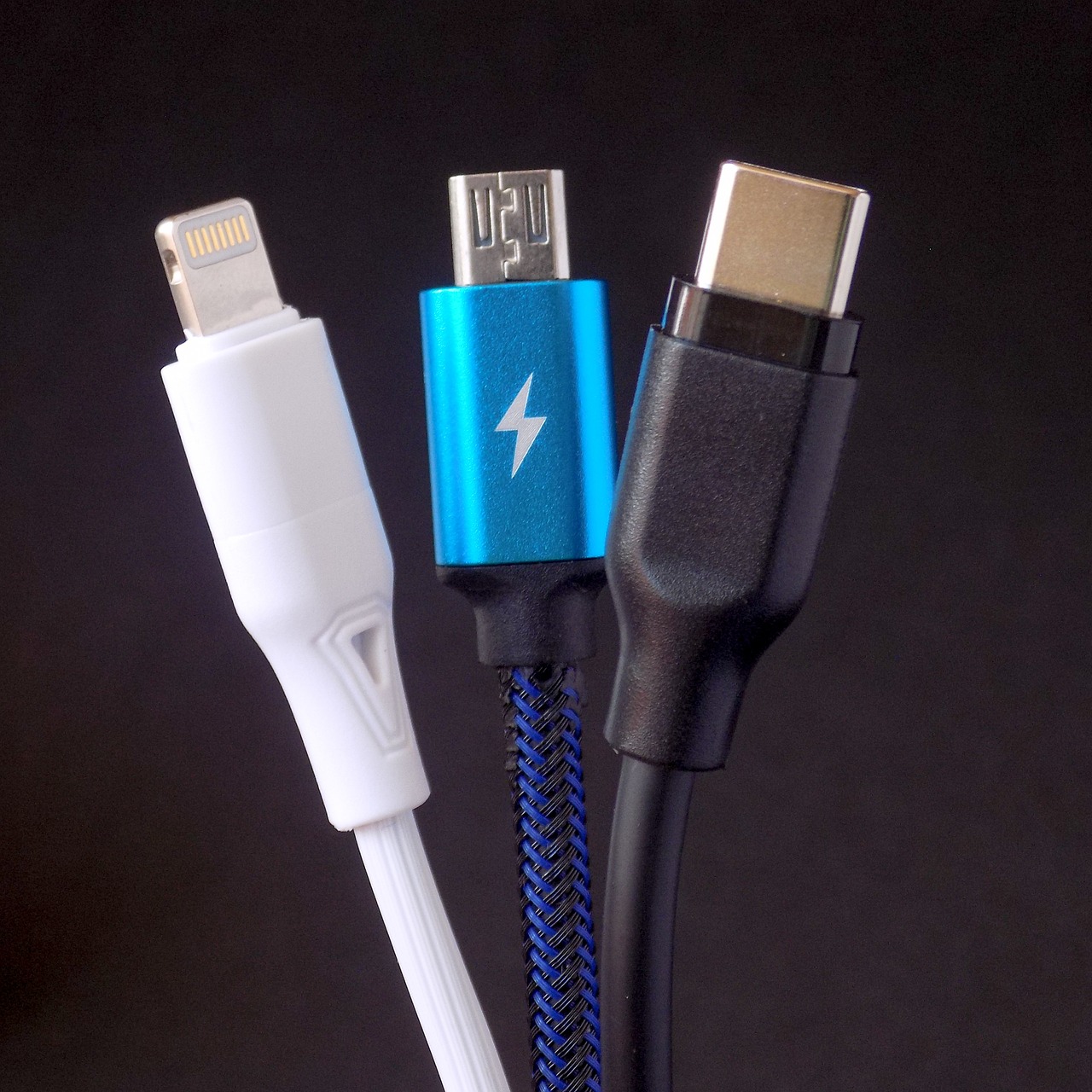
Today’s mobile devices come in all shapes and sizes, and the same goes for their charging requirements. It can be even more confusing when you’re trying to choose the right charging cable for your mobile device, especially now that many of the big mobile players, such as Samsung and Apple, have stopped including chargers with new phones.
Most mobile devices use some form of USB connection, but what are all these cables for? How important is the cable you use?
It can sometimes be hard to work it all out. But don’t worry, the online shop for batteries, adaptors and chargers, www.batterylaptop.co.uk is here to explain everything you need to know about the different USB cables available and what they’re used for.
Types of USB cables and what they’re used for:
Type A
The oldest flat, rectangular standard interface, found on the end of most USB cables. The plug only fits in one way round. Computers have USB-A ports for connecting peripherals. It’s also common on TVs, games consoles and older smartphones and tablets.
Type B
An almost square connector that you won’t often see on mobile devices, except on printers and devices that connect directly to computers. They’re not very common and you’re unlikely to need one for mobile electronics.
Mini-USB
A small connector that, for a while, was the standard for mobile devices. That’s no longer the case, and you’ll now most often find it on various portable Bluetooth speakers.
Micro-USB
Another older standard that has been disappearing from mobile and portable devices for a few years now. Mini-USB is actually larger than Micro-USB. You can still find a few phones, tablets, USB power banks and game controllers using it, but most devices have now moved over to USB-C.
Type C
The new standard and latest type of USB cable, with a reversible connection. It delivers more power and higher data transfer rates than previous USB cable types. USB-C can also handle several functions at the same time. It’s now common on modern laptops, smartphones and games consoles and is the new industry standard.
Lightning
Apple’s proprietary connector for iPhone, AirPods and some iPads. It isn’t a USB standard, but it has been used on Apple devices since 2012. Interestingly, the latest iPad Pro models now use USB-C instead.
Don’t buy the cheapest option
When it’s time to buy a new cable for your devices, don’t be tempted to go for the very cheapest option. Cheap cables suffer from multiple issues such as slow charging and unreliable performance. They’re also more likely to break over time and can even pose a fire risk. Our mobile cables from our online shop for batteries, adaptors and chargers, www.batterylaptop.co.uk are made from flexible materials that allow them to be stretched and bent more than 12,000 times without fear of breaking.
Cable length matters
Shorter cables are great for portability, but they can be inconvenient if you have to huddle right next to a plug socket. Likewise, a cable that’s too long can be a pain to carry around, tangle more easily and become a trip hazard. All mobile cables from the online shop for batteries, adaptors and chargers, www.batterylaptop.co.uk come in a standard 1 m length, which we recommend as the ideal size. They’re long enough to be practical without being bulky, and easily reach a desk. On top of that, they’re made from tangle-free TPE.
Choose the right connector and adaptors
Think about which devices you actually need a cable for: one, two or three? Maybe you’ve got a mixture of old and new devices? Lightning? USB-C and Micro-USB? Fortunately for you, the online shop for batteries, adaptors and chargers, www.batterylaptop.co.uk offers an option to cover all these needs. You may find it’s better to use a 3‑in‑1 cable to save money, space in your bag and cut down the number of wall sockets used at home. Our cable covers all the bases and could be the ideal choice for you.
